
Tripp Lite P131-000-A-DISP HDMI to VGA Active Converter w/ Audio (F/M), 1920 x 1200 (1080p), 60 Hz
SabrePC B2B Account Services
Save instantly and shop with assurance knowing that you have a dedicated account team a phone call or email away to help answer any of your questions with a B2B account.
- Business-Only Pricing
- Personalized Quotes
- Fast Delivery
- Products and Support
$13.14
Tripp Lite P131-000-A-DISP HDMI to VGA Active Converter w/ Audio (F/M), 1920 x 1200 (1080p), 60 Hz
Features
Now You Can Watch Video from Your HDMI Computer on a VGA Display
This HDMI to VGA adapter helps you transmit video through your computer's HDMI port to a VGA-enabled television or monitor. It's an ideal tool for giving video presentations in conference rooms and classrooms, editing multiple documents on a larger screen, or streaming video for digital signage in crystal-clear 1080p. It also allows you to keep using your VGA display without the expense of replacing it.
Transmits Crystal-Clear 1080p Video and Stereo Audio
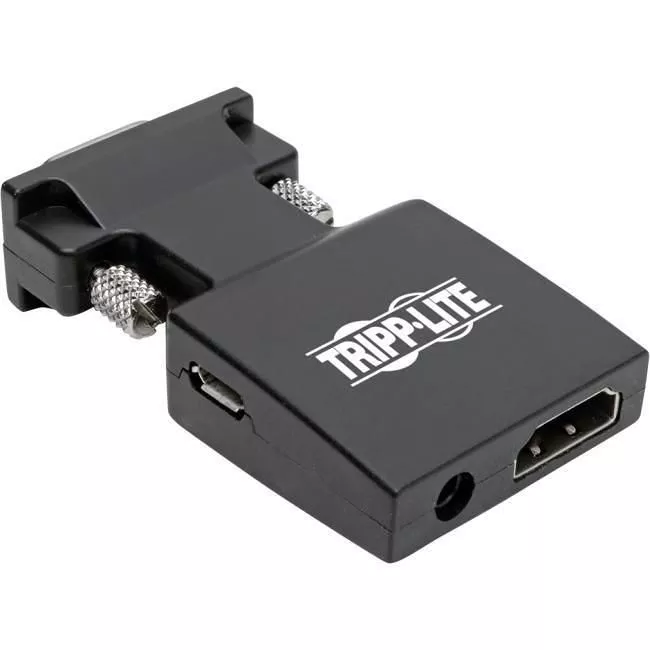
To send high-definition video to a VGA television or monitor, connect the adapter directly to the display's VGA port, and connect an HDMI cable (sold separately) between the adapter's HDMI port and the source device. The adapter supports video resolutions up to 1920 x 1200 (including 1080p) at 60 Hz, as well as HDCP 1.4 and HDMI 1.4b compatibility. Connect the included audio cable between the adapter's audio port and the audio jack on your monitor, A/V receiver or speakers to receive stereo sound.
Ready to Use Right Out of the Package
The molded one-piece unit is so compact that it fits in the palm of your hand, making it easy to carry in your backpack or laptop bag for quick connection anywhere. No software, drivers or external power supply is required. If additional power is needed, use the included USB cable to connect the adapter's USB Micro-B port to a USB charger or a USB-A port on the source device.